Automated layouts use recommended settings for the best conversion. If you want to configure the feed yourself, switch to manual layouts.
Go to Apps > Instafeed. Under Feed design, you can change:
- Post spacing sets the space between posts.
- Format sets the shape of each post: 1:1, 3:4, 9:16, 4:5, 4:3, or Circles.
- Rounded corners adjusts how round the corners of each post are.
- On post click chooses what happens when a shopper clicks a post.
- Open detailed popup shows the post, username, caption, date, and tagged products.
- Open minimal popup shows the post and tagged products.
- Go to Instagram opens the post on Instagram in a new tab.
- Do nothing keeps the post from opening.
- Video autoplay chooses how videos play.
- No keeps videos still until a shopper opens the post.
- All at once plays and loops all videos in view together.
- One at a time plays one video, then the next.
- On hover/touch plays a video when a shopper hovers on desktop or touches it on mobile, and pauses when they move away.
- Show products chooses where tagged products appear.
- On popup shows them in the post popup.
- On popup and post preview shows them in the popup and on the post.
- Don't show hides tagged products.
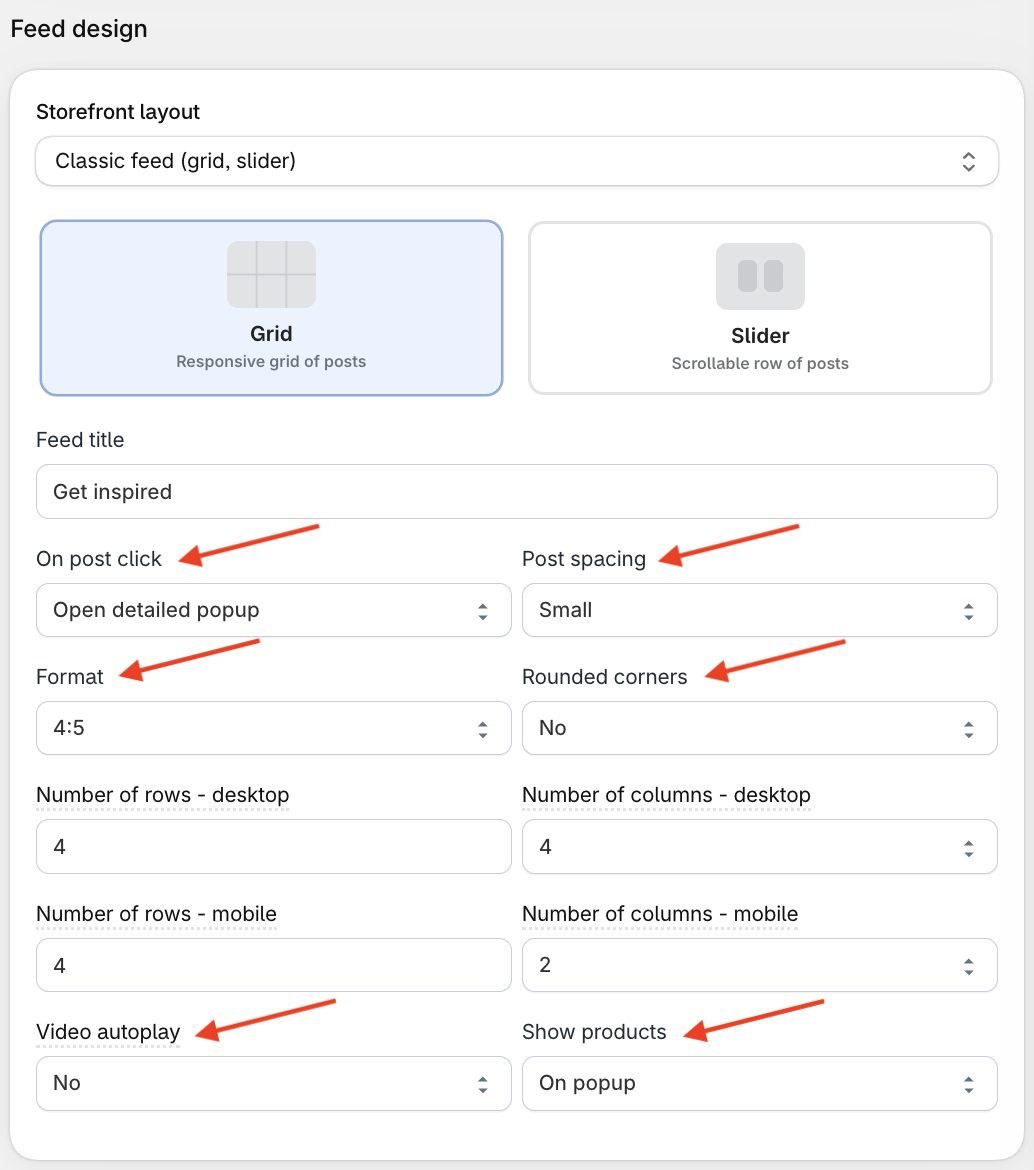
Click Save.
To change how large the posts are, see How do I increase or decrease the size of my posts?.
These settings are available when the Storefront layout is Classic feed (grid, slider).