A. Shopify 2.0 themes
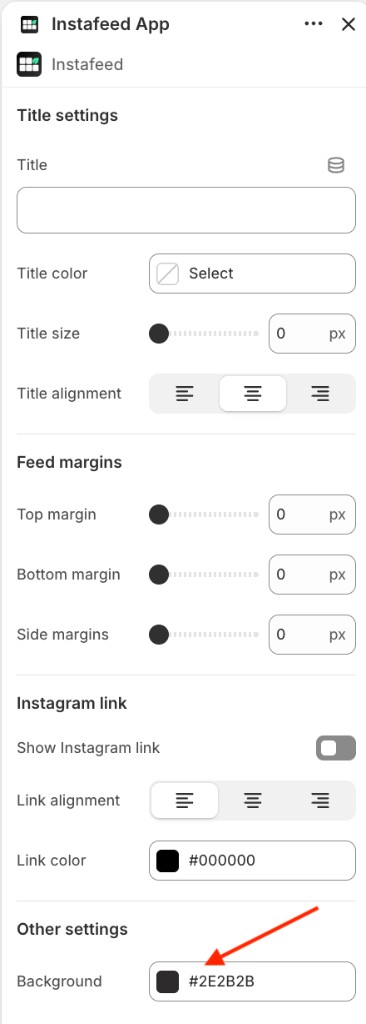
In Shopify 2.0 themes, the Mintt Instafeed app block includes a setting to change your feed's background color.
- Go to Online Store > Themes > Edit theme.
- Select the Instafeed App section.
- Under Other settings, change the color in Background.
B. Legacy themes
On legacy themes, the background of the Instafeed section can be changed with custom code.
Please reach out to us at support@minttstudio.com and our team will assist you with the custom code.