Show Judge.me reviews in Mintt Instafeed
Connect Judge.me with Mintt Instafeed to show product ratings on tagged products inside your Instafeed popup. Shoppers see social proof at the exact moment they're considering a product, without leaving the feed.
What this integration does
When a shopper clicks a tagged product in your Instafeed popup, Instafeed pulls the product's Judge.me rating and review count from Shopify metafields. The rating shows next to the product card in the popup.
Reviews stay in sync with Judge.me automatically. You manage review collection and moderation inside Judge.me; Instafeed handles the display in your shoppable feed.
Before you start
Two apps need to be installed and configured first. Judge.me must be installed in your Shopify store with at least one product review collected. Instafeed needs to be installed in the same store, with a feed that uses tagged products.
Required: Judge.me must be syncing ratings to Shopify metafields. This is on by default in Judge.me, but if you turned it off, re-enable it under Settings in the Judge.me admin.
New to Judge.me? Install it from the Shopify App Store
Enable Show reviews in Instafeed
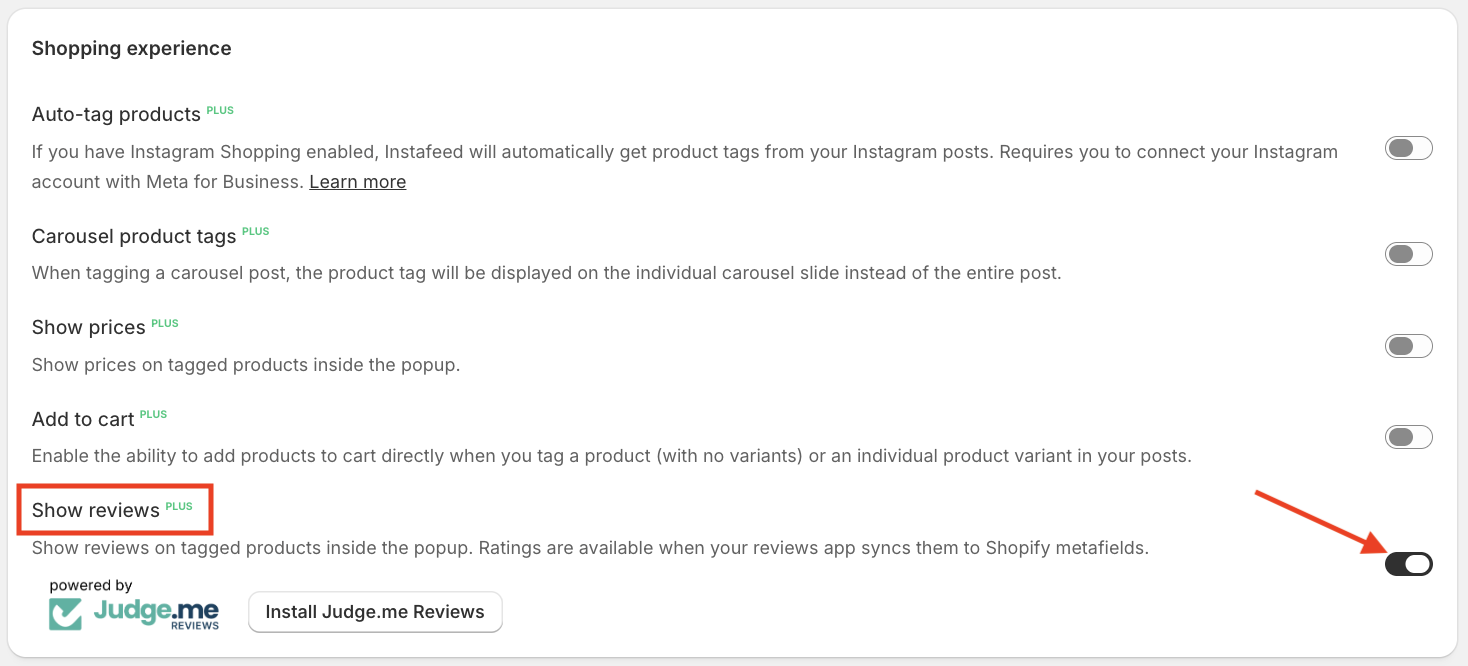
- Open Mintt Instafeed in your Shopify admin.
- Go to the feed you want to update, then open settings.
- Toggle Show reviews on under Shopping experience.
- Save the setting.
Ratings appear automatically on every tagged product that has Judge.me reviews. No per product configuration needed.
How reviews appear in the popup
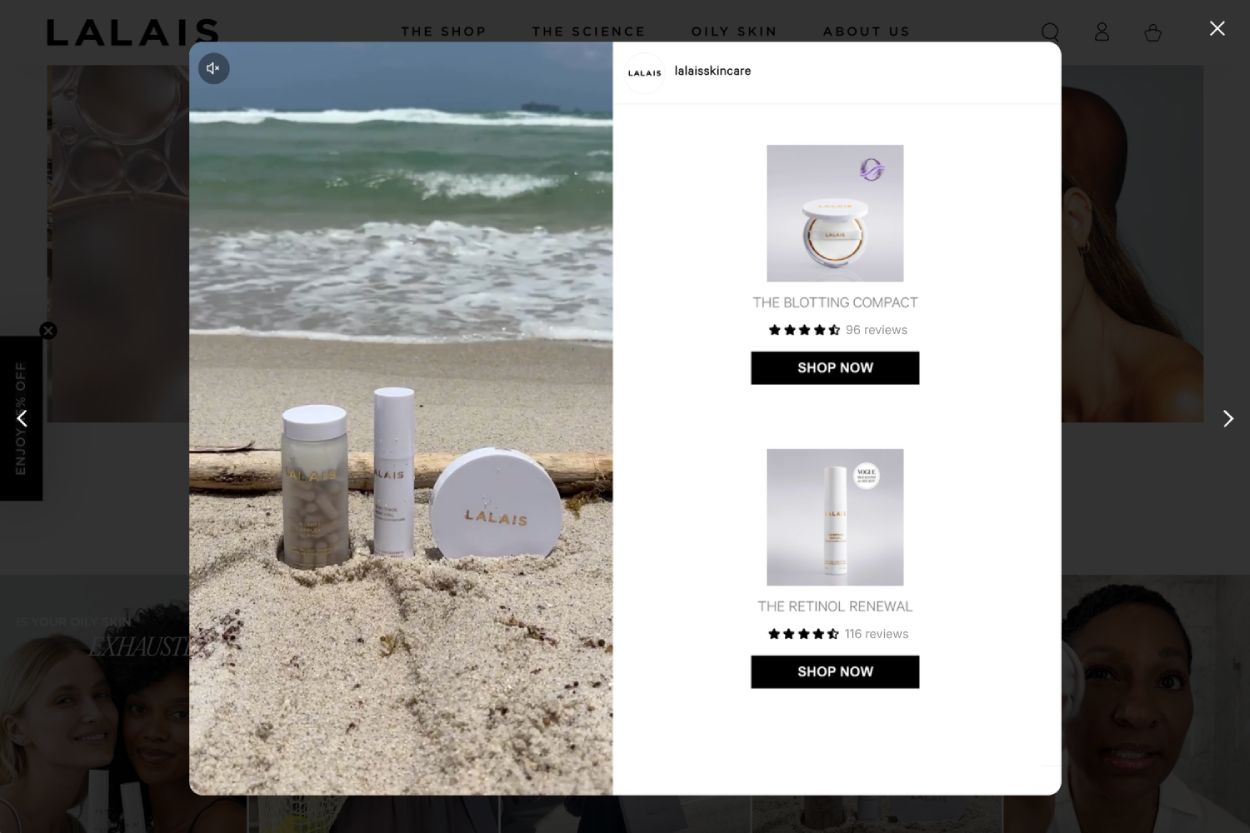
Each tagged product card in the popup shows a star rating and total review count, pulled from Judge.me. Tapping the product card takes the shopper to the product page, where the full Judge.me review section is available.
Products without Judge.me reviews show without ratings. The card layout adjusts automatically, so there are no empty rating slots.
Common questions
- Do I need a paid Judge.me plan?
No. Judge.me's free plan syncs ratings to Shopify metafields, which is all Instafeed needs to display them.
- How quickly do new Judge.me reviews appear in the feed?
Ratings refresh whenever Judge.me updates the product's Shopify metafield, which is typically within a few minutes of a new review being approved.
- Can I customize how the rating is displayed?
The rating value and star count come directly from Judge.me and cannot be edited inside Instafeed.
- What if I use multiple review apps?
Instafeed reads from the standard Shopify reviews metafield. Whichever app is configured to write to that metafield is the source of the displayed rating. Configure this in your review app's settings.
- Will products without reviews still appear?
Yes. Tagged products without Judge.me reviews appear in the popup as normal, without a rating block.
Need help?
If ratings don't appear after enabling Show reviews, confirm Judge.me is syncing to Shopify metafields and that the tagged product has at least one approved review in Judge.me.
For Judge.me settings, see Judge.me's help center. For Instafeed support, contact the Mintt Studio team.