Creating feeds with TikTok content is available on the Plus plan only.
The Custom media uploads feature on Mintt Instafeed allows you to upload TikTok videos using a URL and display them in your feed. Read this guide to learn how to upload and show TikTok content on Mintt Instafeed.
Contents
Step 1 - Upload TikTok videos to Mintt Instafeed
Step 2 - Create a feed with custom media
Step 1 - Upload TikTok videos to Mintt Instafeed
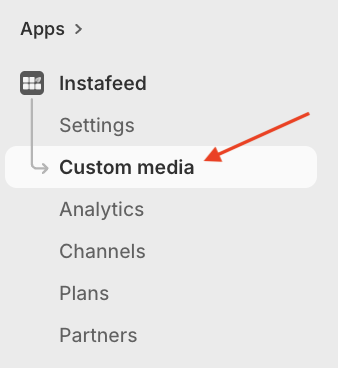
- To upload TikTok videos, go to Instafeed > Custom media.
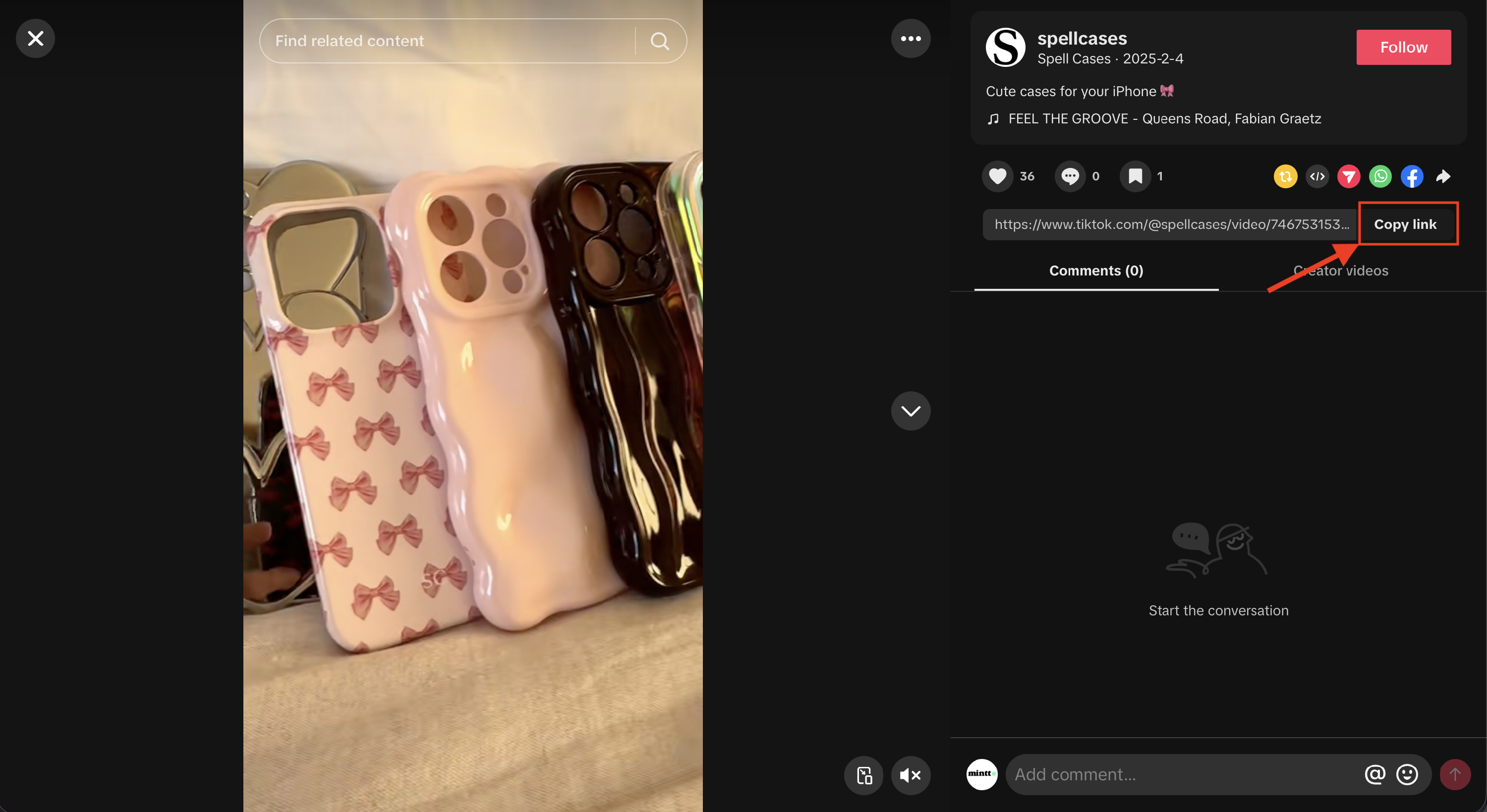
- Go to tiktok.com, open a video, and click Copy link to copy the video URL.
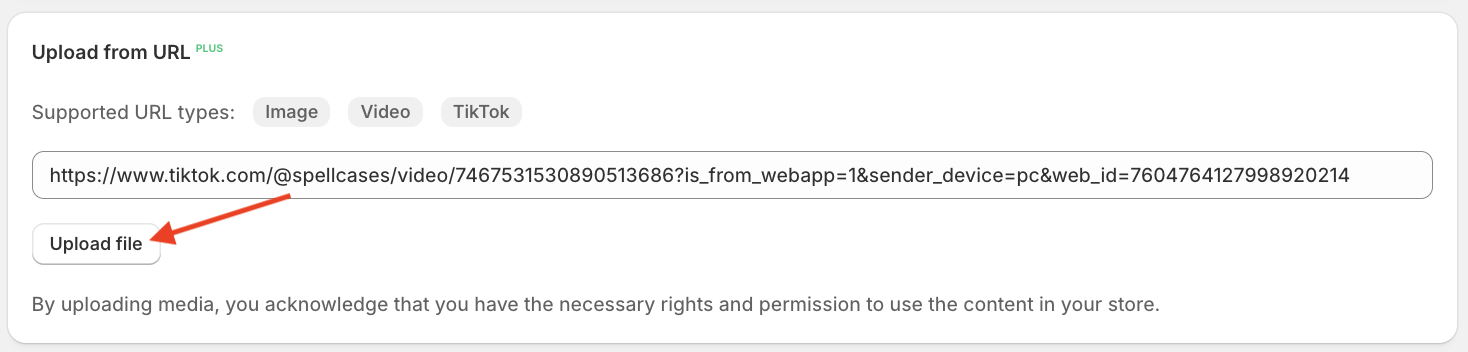
- Go to Mintt Instafeed and paste the link copied below Upload from URL, then click Upload file.
- Uploaded TikTok videos will appear under Custom media.
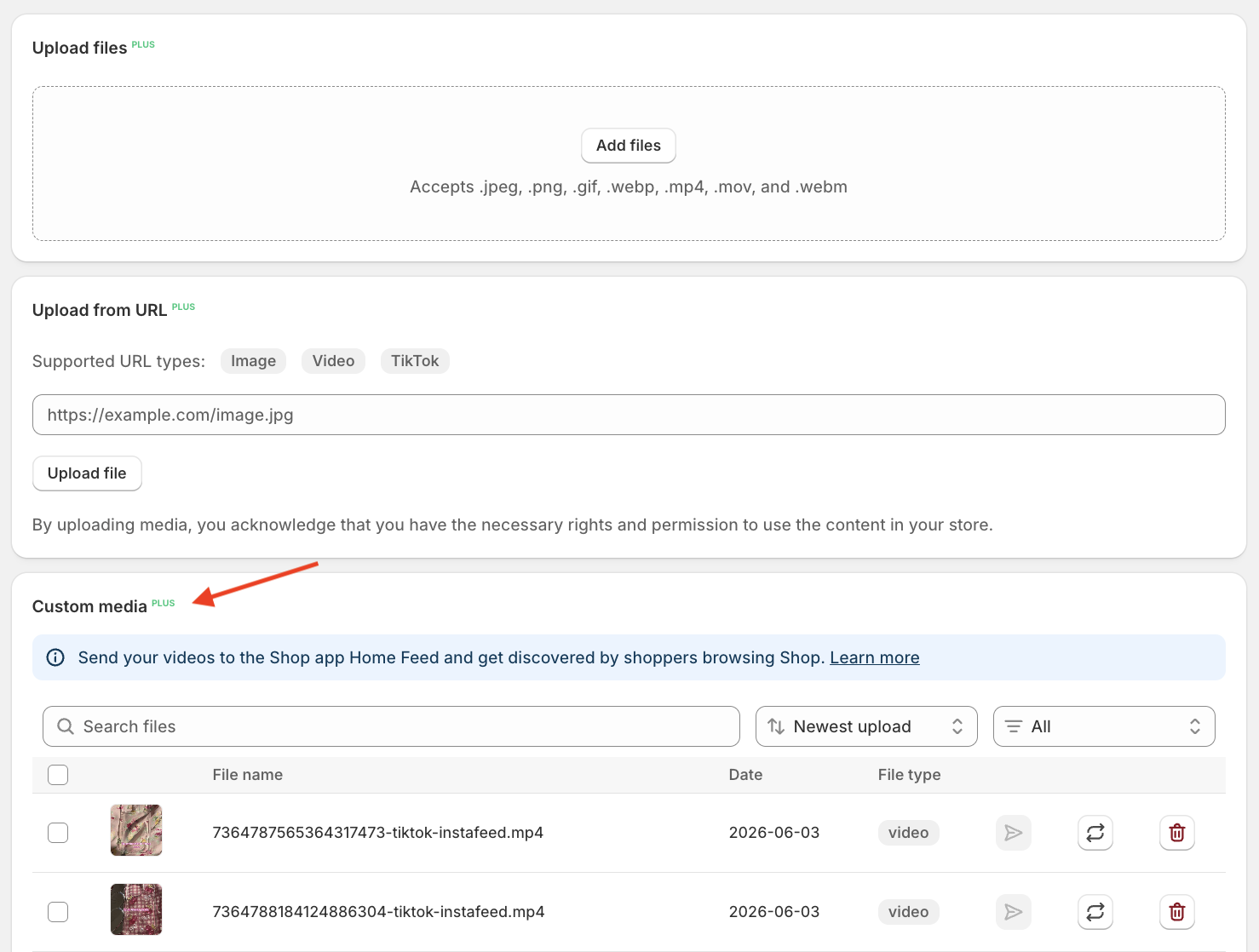
TikTok videos uploaded in Mintt Instafeed are also automatically added to your Shopify Files (Content > Files).
Step 2 - Create a feed with custom media
To display your uploaded TikTok videos in a feed, you need to create a feed using custom media.
Follow this guide to set up a feed with custom media.
How to manage TikTok videos
You can manage your uploaded TikTok videos directly from Instafeed.
This includes:
- Deleting videos.
- Editing the date.
- Adding captions.
Follow this guide to learn how to manage your TikTok content.