Show Mintt Instafeed content in CWILL Product Reviews
With this integration, CWILL Reviews pulls eligible posts from Mintt Instafeed and displays them alongside review content in their storefront widget. Your Instagram posts appear next to customer reviews, giving shoppers more context at the point of purchase.
Before you start
- Have Mintt Instafeed installed and connected to your Instagram account.
- Have CWILL Product Reviews App installed and configured in your Shopify store.
- Have relevant Instafeed posts tagged with the correct products if you want them to appear on specific product pages.
Configuration steps
Enable Mintt Instafeed content in CWILL Reviews
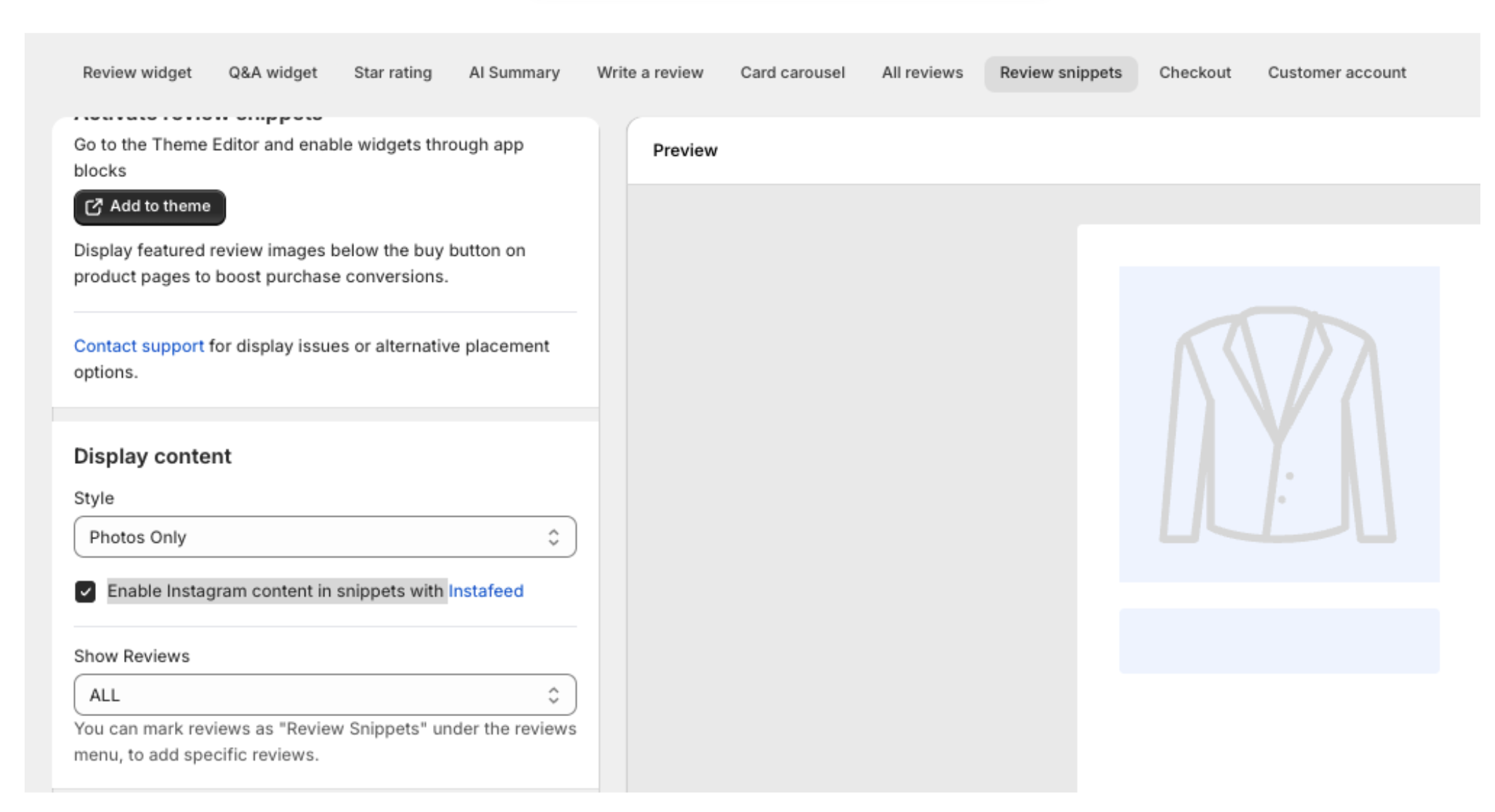
This step is done in your CWILL Reviews dashboard. Open the Review Snippets widget settings and turn on Enable Instagram content in snippets with Instafeed.
Note: This option is not available when the snippet style is set to "Reviews only."
Tag products in Instafeed
For your posts to appear with the correct product's review snippet, those posts need to be tagged with matching products in Instafeed.
You can tag products manually or enable automatic tagging. Read our guides:
Save or publish the widget in CWILL Reviews
After enabling the setting, save or publish the widget in CWILL Reviews for the changes to appear on your storefront.
Common questions
- How does my Instafeed content appear in the CWILL Reviews widget?
By default, CWILL Reviews displays review content and Instafeed posts in a 1:1 ratio.
- Can I control which posts appear?
Yes. CWILL Reviews pulls posts that are tagged with matching products in Instafeed. Tag only the relevant posts for each product to control what appears.
- My Instafeed posts aren't showing in CWILL Reviews. What should I check?
- Instafeed is installed and connected to the correct Instagram or Meta account.
- The integration is enabled in CWILL Reviews' Review Snippets settings.
- The snippet style is not set to "Reviews only."
- The relevant posts are tagged with the correct products in Instafeed.
- The widget was saved or published after the setting was updated.