Using Mintt - Instafeed with Foxify
If you build pages in Foxify Smart Page Builder, Instafeed slots in as a native app block. Drop a shoppable Instagram feed onto any custom page without theme edits or code.
What this integration does
Foxify is a drag-and-drop page builder for Shopify. Instafeed is built into Foxify as a partner app block, so any feed you've configured in Instafeed can be placed inside a Foxify page in a few clicks.
The feed stays connected to your Instagram account. Posts auto-sync, layouts stay responsive, and shoppable tags continue to work the same as on a standard Shopify page. Before you start
Before you start
Two apps need to be installed and configured first. Instafeed must be installed from the Shopify App Store and connected to your Instagram account, with at least one feed created. Foxify Smart Page Builder needs to be installed in the same Shopify store.
If you haven't set up Instafeed yet, see the Instafeed setup docs.
Add the Instafeed extension in Foxify
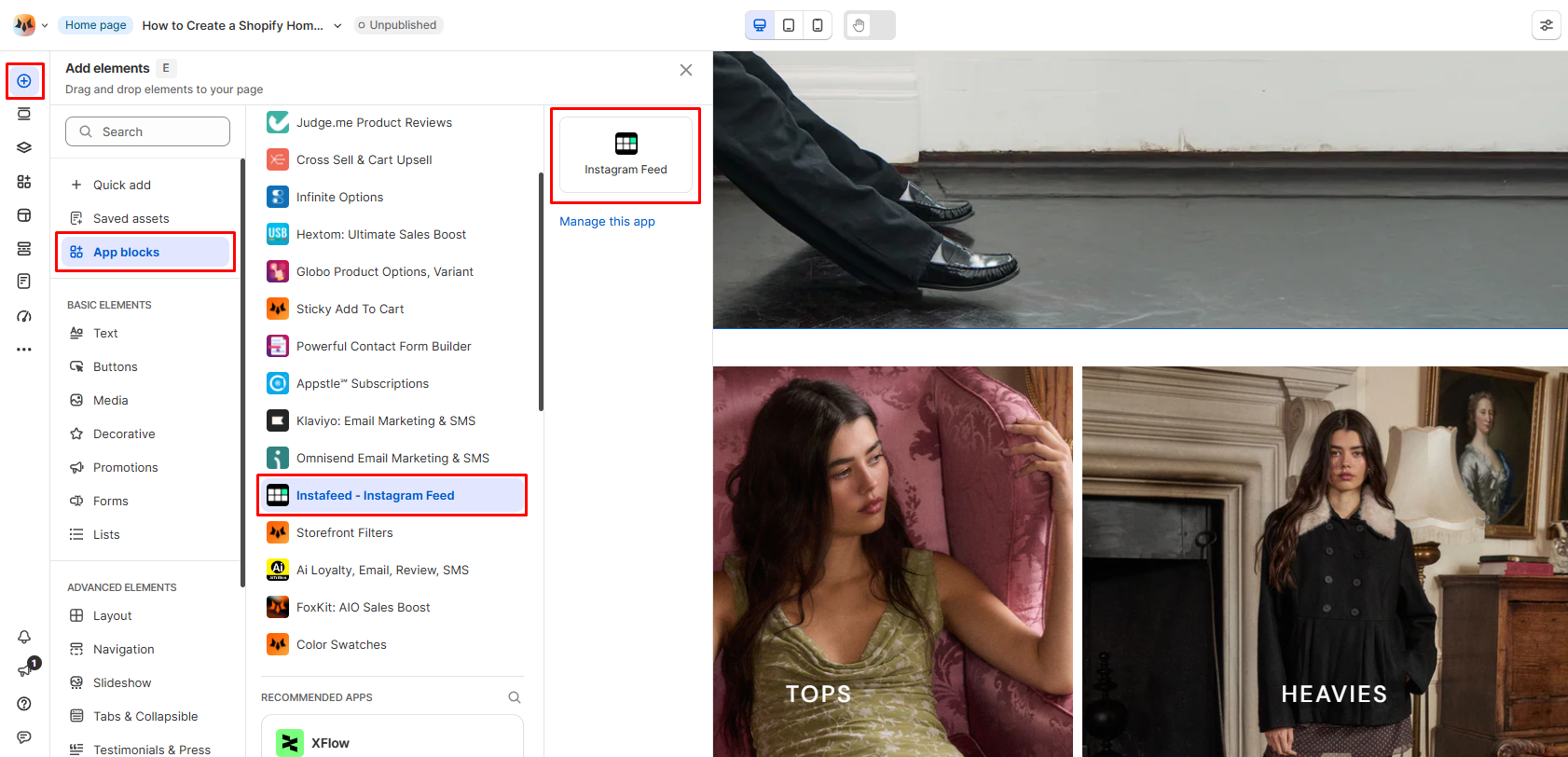
- Open the page you want to edit in your Foxify dashboard, or create a new page.
- In the left sidebar, click Apps Market (or press A).
- Filter by Author: Partner and find Instafeed.
- Click Install extension. A green checkmark next to the app means the extension is active and ready to use. Place the feed on your page
- In Pages manager, open the page where you want the feed.
- Click Add element, then App blocks.
- From the Installed apps list, drag the Instafeed widget onto the page.
- Adjust sizing as needed.
- Click Save and preview the page to confirm the feed renders correctly. The feed pulls whichever Instagram content you've configured in the Instafeed app, including shoppable tags and UGC.
Common questions
- Does Instafeed work on the free plan?
Yes. Instafeed's free plan covers responsive layouts, photo and Reel display, auto-sync, and customizable pop-ups. Product tagging, UGC display, and multiple feeds are on paid plans, with a 7-day free trial.
- Do I need to add embed code?
No. The Instafeed app block is a built-in Foxify extension, so no code is required.
- Will this slow down my page?
Instafeed is built to be lightweight. Performance impact on Foxify pages is minimal.
- Where do I configure feed content and styling?
Inside the Instafeed app. Foxify controls placement on the page; Instafeed controls which posts appear and how the feed is styled.
Need help?
If the Instafeed widget doesn't appear in your Foxify Apps Market, confirm both apps are installed and connected to the same Shopify store. For Foxify-side setup, see Foxify's integration doc. For Instafeed support, contact the Mintt Studio team.